 DataPeek: CSV & JSON ViewerWindows app
A free CSV viewer for Windows that opens big files fast
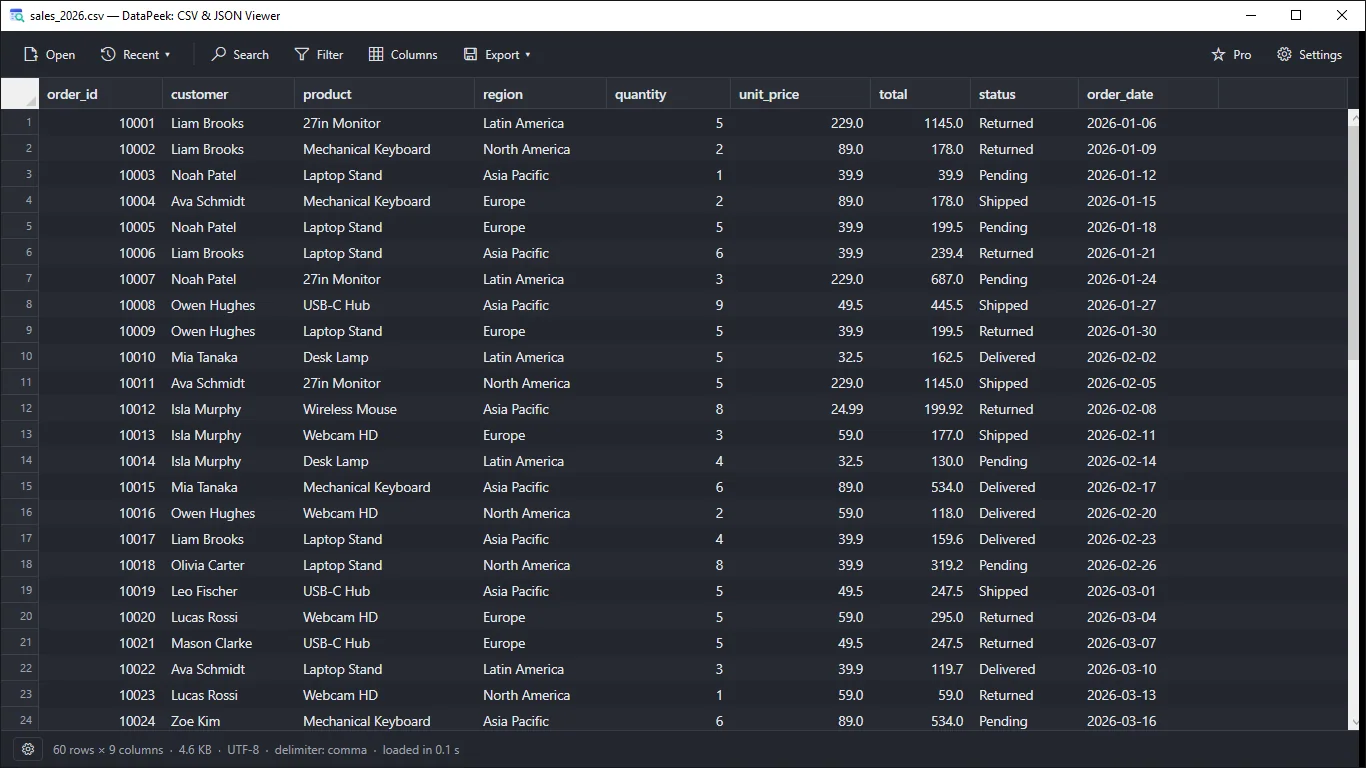
DataPeek opens CSV, TSV and JSON files as a clean table or tree. Search, filter, sort and export. No Excel, no account, fully offline.

Everything you need to explore data files
Open CSV, TSV, JSON and NDJSON
Use the Open button, drag and drop, the Recent list, or Open with from File Explorer. JSONL and TXT files work too.
Smooth with large files
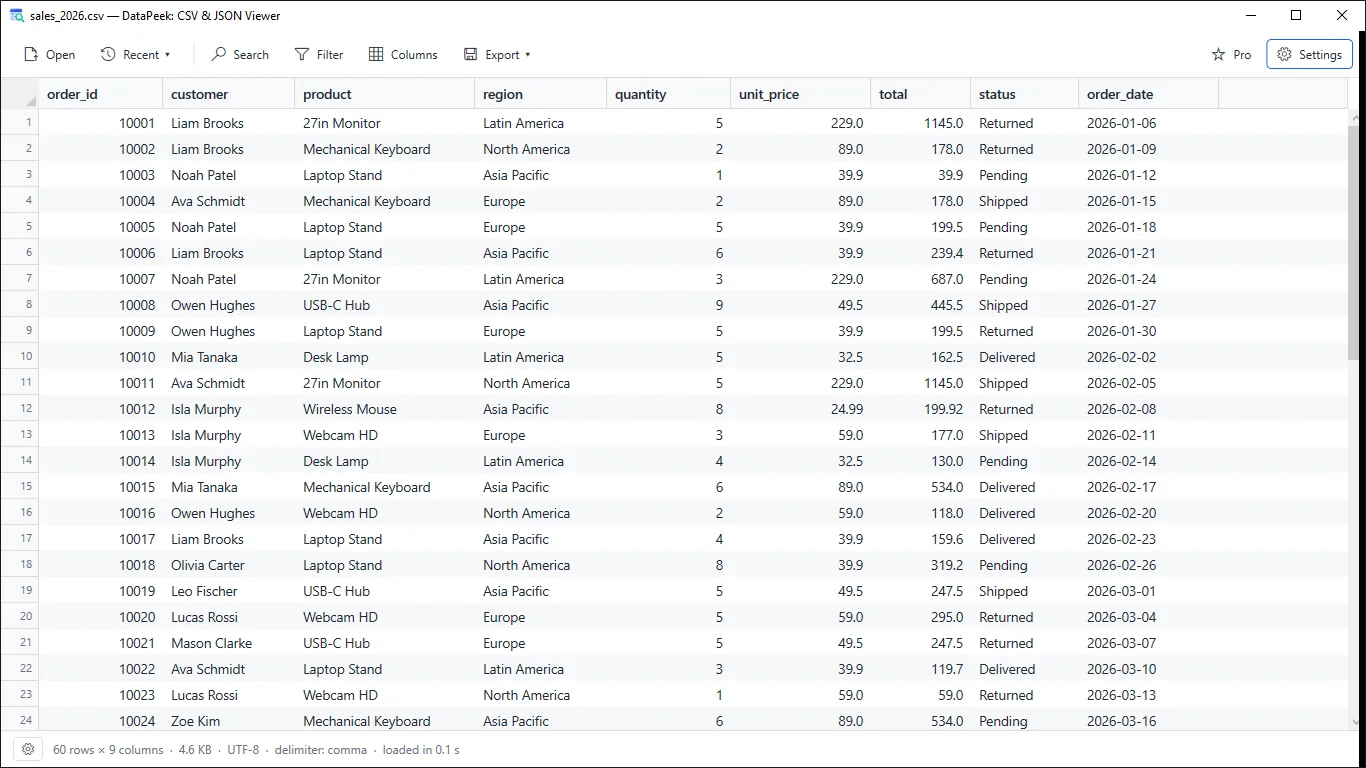
A virtualized table scrolls smoothly with hundreds of thousands of rows. Files load in the background with a progress bar and Cancel.
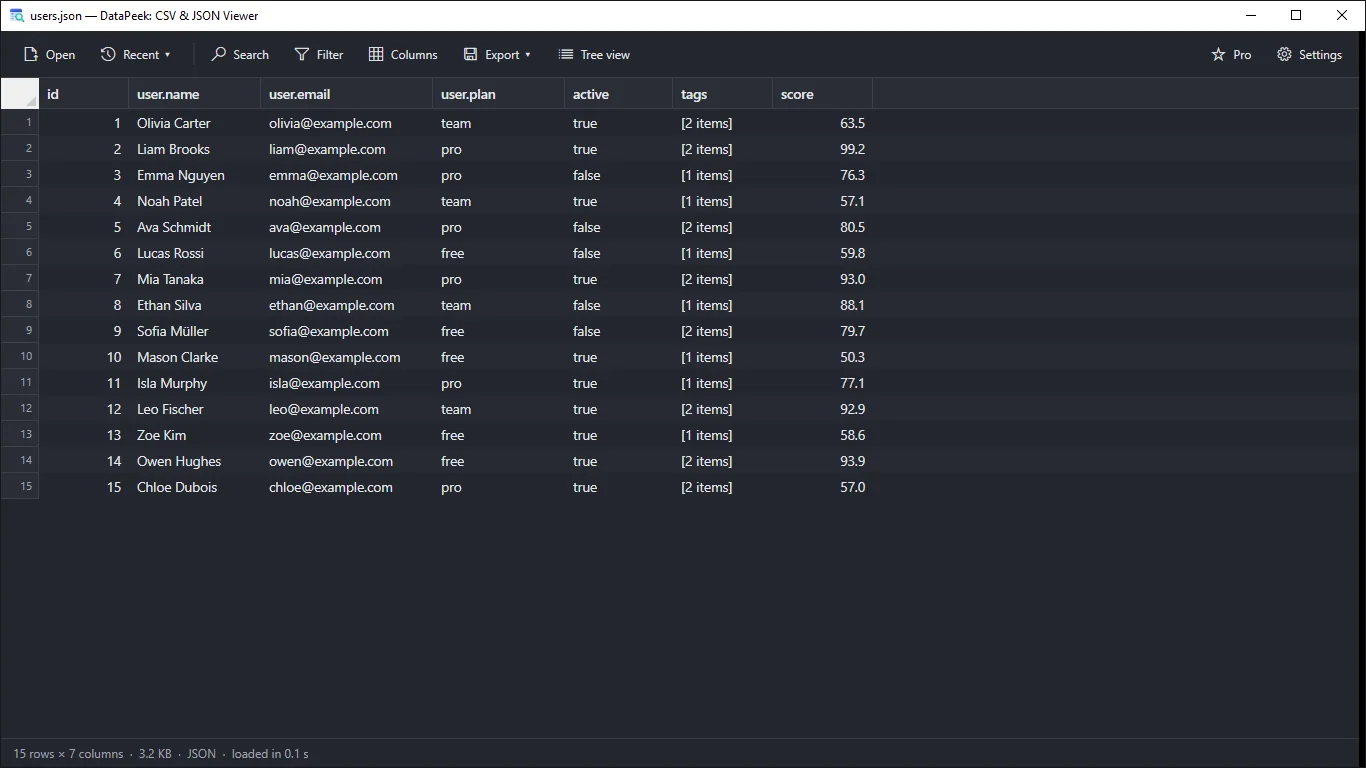
JSON as a table or a tree
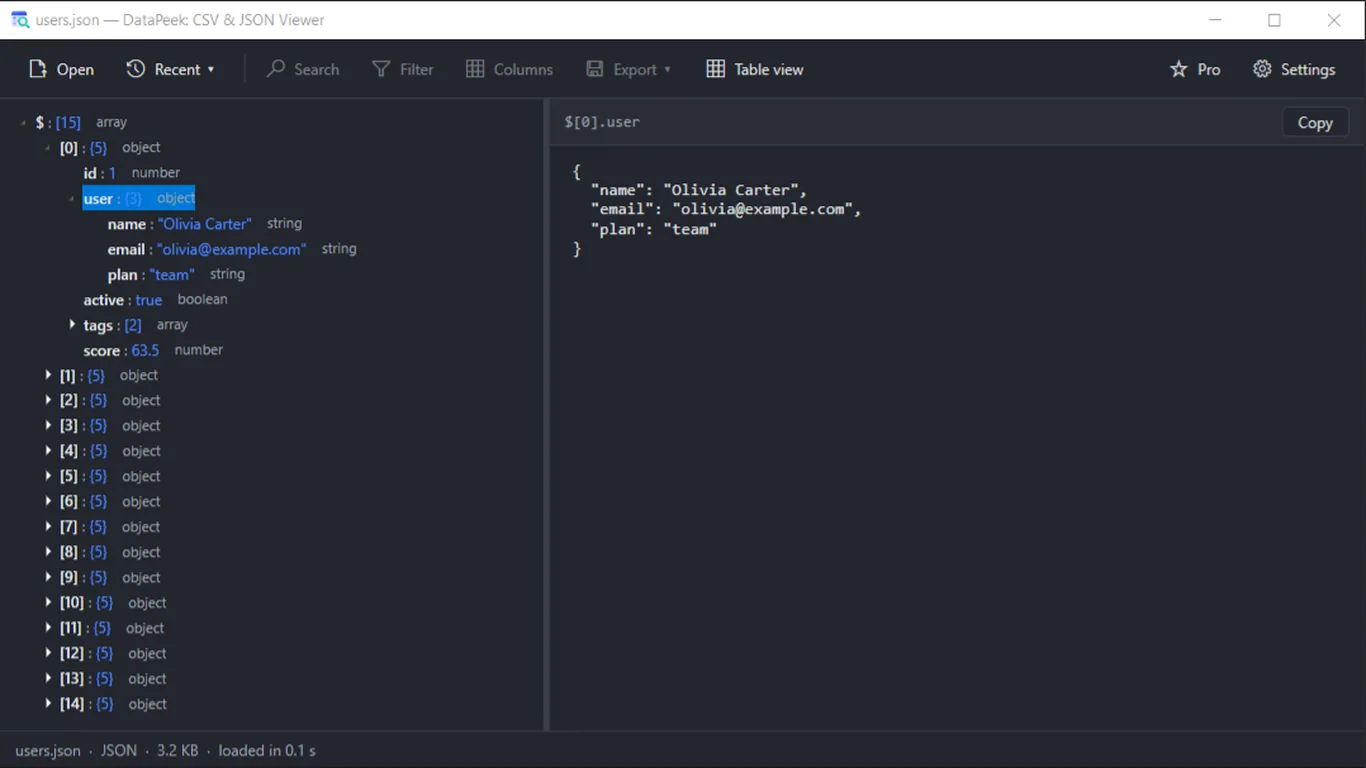
Arrays of objects become columns with nested keys flattened. Or browse a tree and see the selected item as formatted JSON.
Search, filter and sort
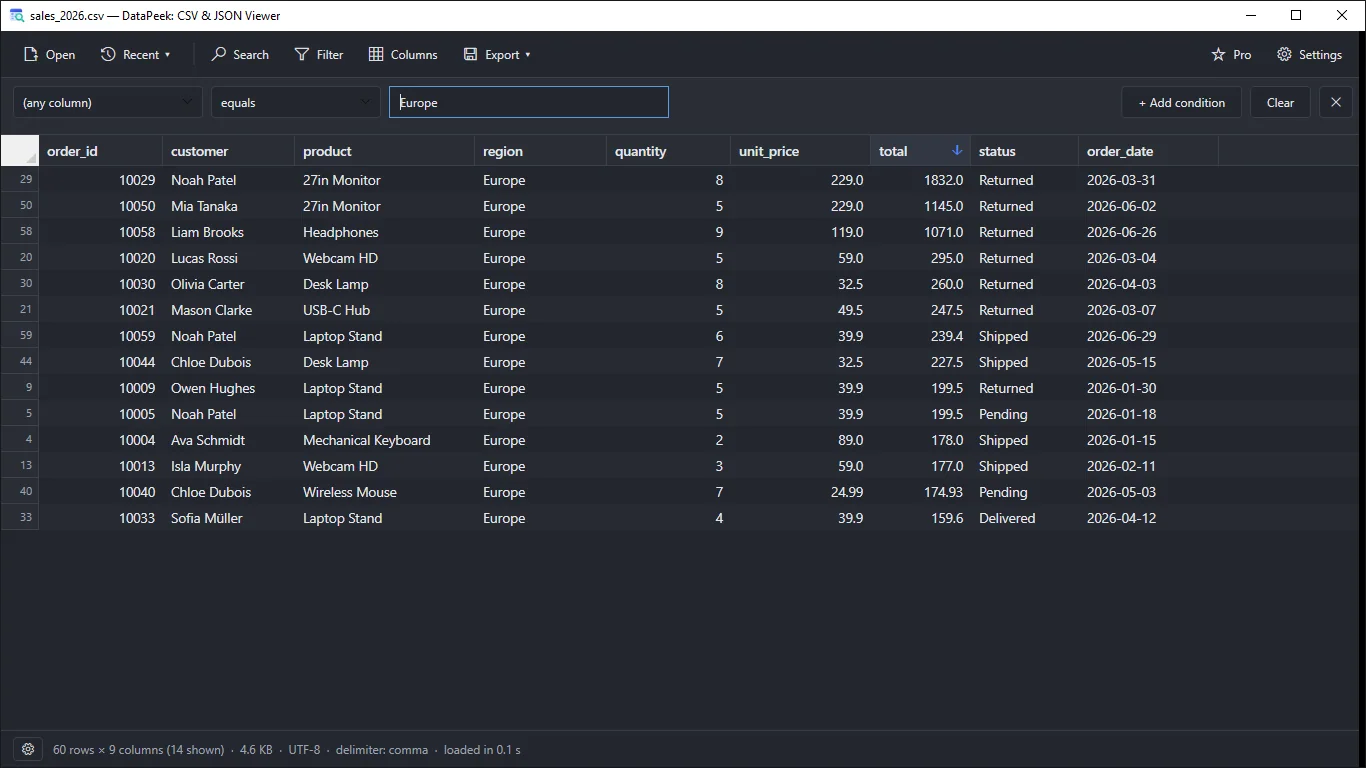
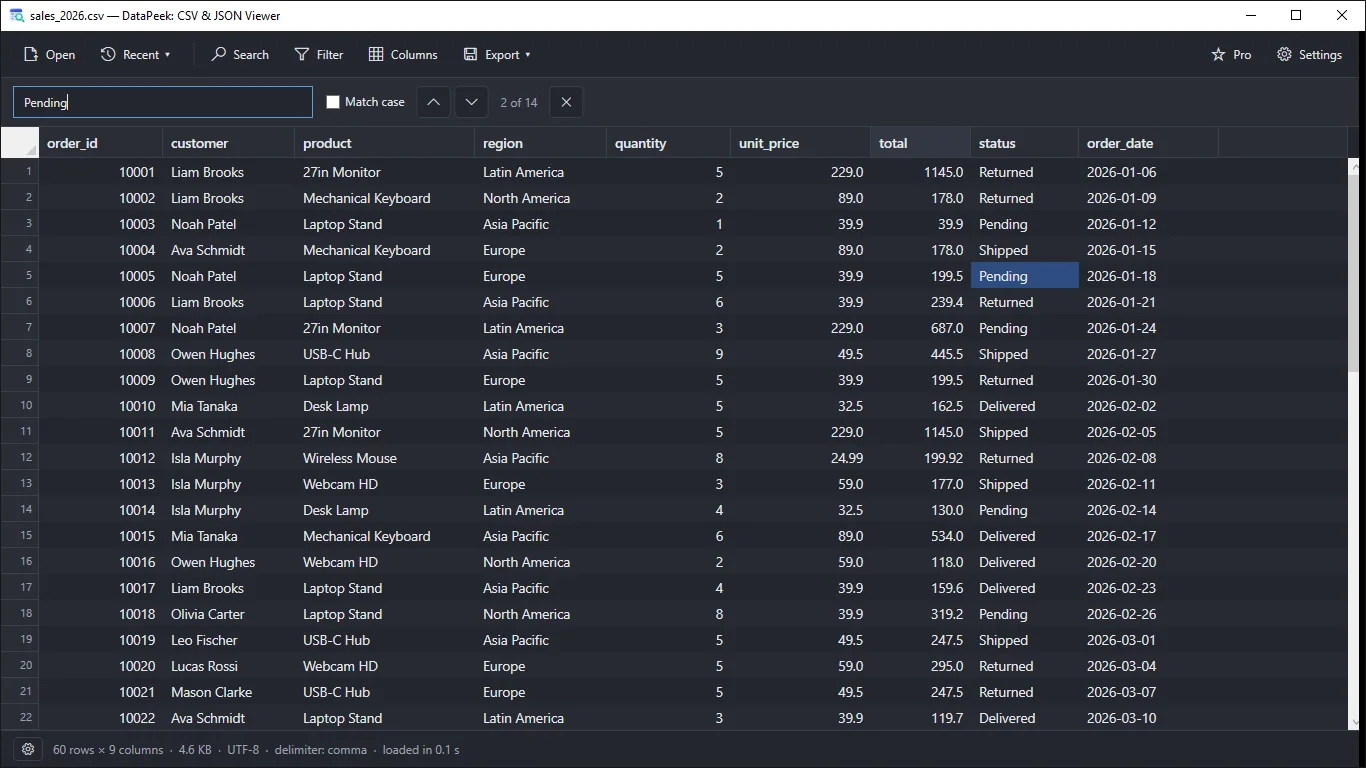
Press Ctrl+F to search the whole table. Sort by any column, and filter rows with contains, equals, starts with or greater/less than.
Auto-detects delimiter and encoding
Comma, semicolon, tab or pipe, and UTF-8, UTF-16 or Windows-1252. Not right? Change it by hand in Import options.
Export what you see
Save the filtered, sorted view to CSV, TSV or JSON. Your original file is never overwritten.
How it works
- Get it from the Microsoft Store and launch DataPeek.
- Drag a CSV, TSV or JSON file onto the window, or press Ctrl+O.
- Sort, search and filter, then copy cells or export the view.
Screenshots
Great for
Check a database export
Peek into a big CSV export to check columns and values without waiting for a spreadsheet to load.
Read an API response
Open JSON as a table or tree to see nested data, copy a path or value, and spot problems fast.
Browse logs and JSON Lines
Open NDJSON and JSONL logs as a table, then search and filter to find the rows that matter.
Pull out a clean subset
Filter rows, hide columns, then export only that view to a new CSV or JSON file.
DataPeek Pro (Lifetime)
- Open files larger than 25 MB
- Multi-condition AND/OR filters with regular expressions
- Unlimited row export
The free version opens the first 25 MB of CSV/TSV/NDJSON files, supports one filter and exports up to 1,000 rows at a time.
FAQ
Is DataPeek free?
Yes. The free version opens the first 25 MB of CSV/TSV/NDJSON files (JSON files must fit within 25 MB), has one filter condition and exports up to 1,000 rows. Pro is optional.
Is my data safe? Are files uploaded?
DataPeek works entirely on your PC. Your files are never uploaded. There are no accounts, no ads and no tracking. It is read-only and never overwrites your original file.
How do I open a large CSV file on Windows?
Drag the file onto DataPeek or press Ctrl+O. It loads in the background with a progress bar, so the window stays responsive. Files over 25 MB need Pro to load fully.
Can I view JSON as a tree?
Yes. Switch between Table and Tree view. The tree shows type and item count, and a code pane shows the selected item as formatted JSON. You can copy its path or value.
Which file types does it support?
CSV, TSV, TXT, JSON, JSONL and NDJSON. Delimiter and encoding are detected automatically, and you can override them in Import options.
Does it work offline and what does it need?
It works fully offline. DataPeek is a Windows desktop app installed from the Microsoft Store. The interface is in English and follows your Light or Dark theme.
Get DataPeek from the Microsoft Store